Every signing workflow completed via DiliTrust Sign automatically generates a Certificate of Completion — the legal audit trail of the transaction. This article explains what it contains, why it matters, and how to access it.
✅ What is the Certificate of Completion?
The Certificate of Completion is a PDF document automatically produced by DiliTrust Sign at the end of each signing workflow — when all required signers have completed their action.
It serves as the legal proof that the document was signed: it records every action taken by every participant, from the moment the request was sent to the final signature. In the event of a dispute, the Certificate of Completion is the reference document that establishes what happened, when, and by whom.
⚡ What does it contain?
Envelope information
- Unique envelope ID
- Document subject / title
- Final status (Completed)
- Sender identity and email
Signer events
For each signer, the following events are recorded:
| Event | Information captured |
|---|---|
| Sent | Date and time the signing request was sent |
| Viewed | Date, time, IP address and device when the signer opened the document |
| Signed | Date, time, IP address and device when the signer completed the signature |

Document integrity
A digital fingerprint (hash) of the document is recorded at each key stage. This proves the document was not modified between the moment it was sent and the moment it was signed.
⚖️ Legal validity
DiliTrust Sign operates at the SES (Simple Electronic Signature) level, as defined by the EU eIDAS regulation. The Certificate of Completion provides the evidence required to support the legal validity of an SES, including:
- Clear identification of the signer (name, email)
- Proof that the signer accessed and reviewed the document
- Confirmed intent to sign (authenticated action)
- Tamper-evidence (document hash)
→ Learn more about electronic signature levels and the eIDAS framework
☝ How to access the Certificate of Completion
- Open the envelope from your dashboard once its status shows Completed
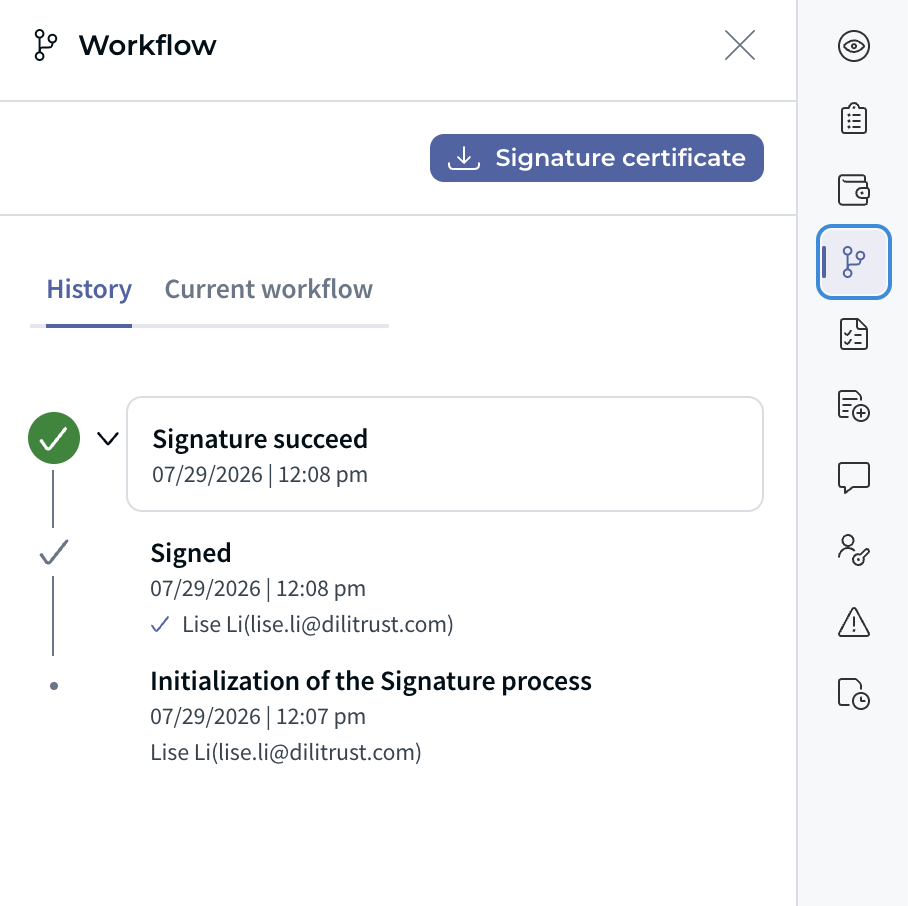
2. The Certificate of Completion is available alongside the signed document
3. Download it as a PDF and store it with the signed document for your records
⚠️ We recommend always archiving the Certificate of Completion together with the signed document — it is an integral part of the legal proof of signature.
Was this article helpful?
That’s Great!
Thank you for your feedback
Sorry! We couldn't be helpful
Thank you for your feedback
Feedback sent
We appreciate your effort and will try to fix the article